
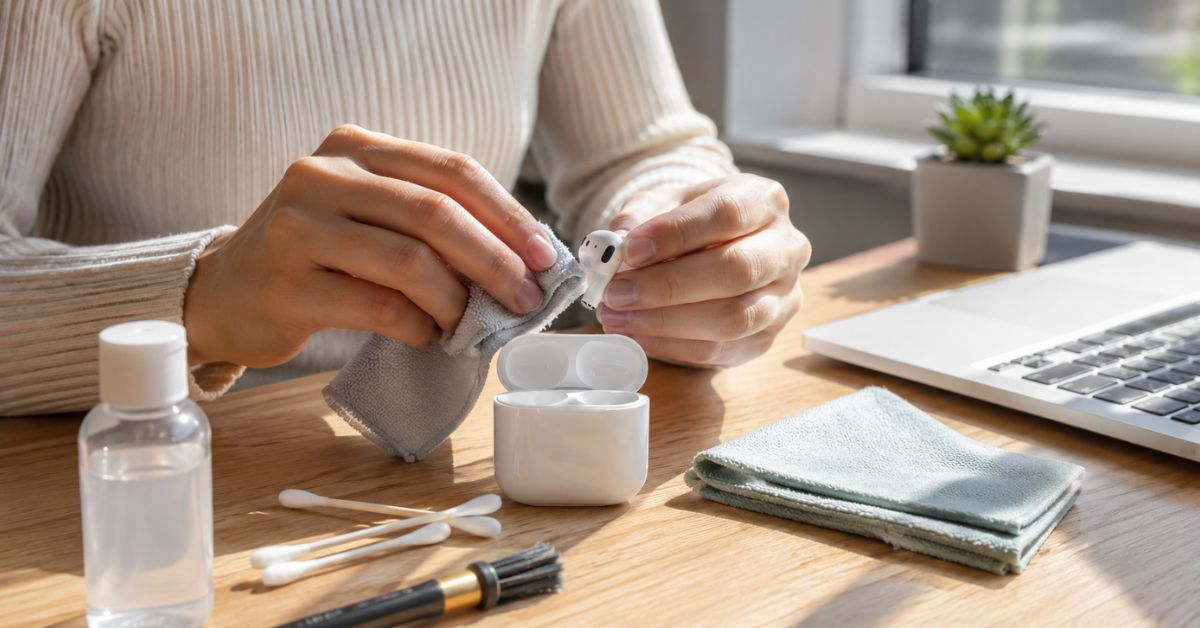
If your AirPods don’t sound as clear as they used to, feel uncomfortable in your ears, or look dirty no matter how often you wipe them, you’re not alone. Many people use their AirPods every day for work calls, workouts, online classes, travel, and entertainment, but very few clean them the right way. As a result, earwax, dust, pocket lint, sweat, and bacteria slowly build up on the speakers and charging case.
Learning how to clean AirPods Safely Without Damaging Them is important because improper cleaning can permanently damage the speaker mesh, microphones, sensors, or charging contacts. Many people accidentally use sharp objects, excessive water, or harsh chemicals that create more problems than the dirt itself.
At True Housekeeping, we believe cleaning should never involve risky shortcuts or internet myths. Every method shared in this guide follows safe cleaning practices recommended by electronics experts and aligns with Apple’s general care recommendations. Instead of fake DIY tricks, you’ll learn practical techniques that actually work while protecting your AirPods.
Whether you own AirPods (1st, 2nd, or 3rd generation), AirPods Pro, or AirPods Pro 2, this guide explains how to clean AirPods Safely Without Damaging Them step by step. You’ll also discover how often to clean them, what supplies are safe, common mistakes to avoid, and simple habits that keep your AirPods cleaner for longer.
Why You Should Clean Your AirPods Regularly
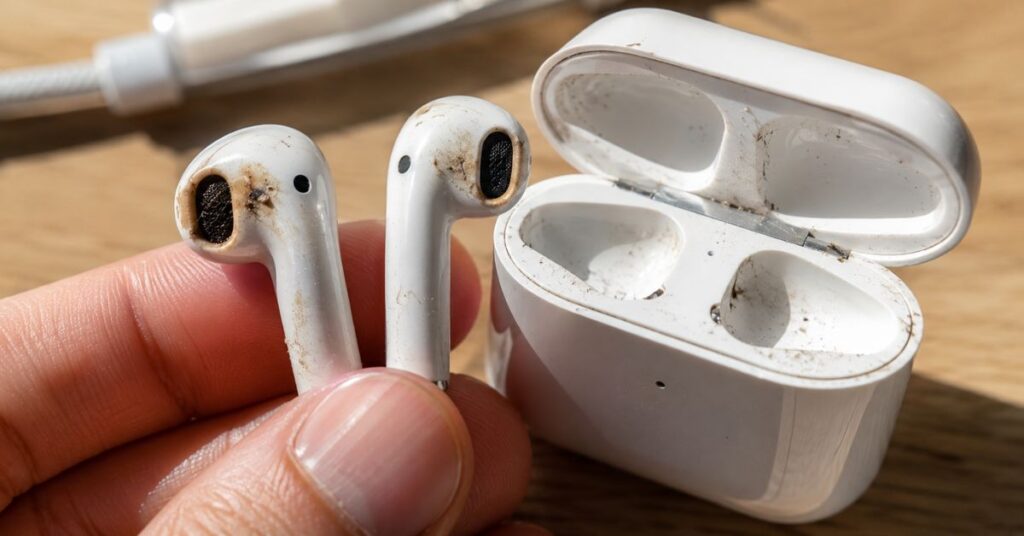
Most people don’t realize how much dirt collects on AirPods after just a few days of use. Every time you wear them, natural earwax, skin oils, sweat, and tiny dust particles stick to the speaker grills and sensors. If you place them in your pocket, lint and dirt also collect inside the charging case.
That’s why learning how to clean AirPods Safely Without Damaging Them is more than just a cosmetic task. Clean AirPods perform better and are more hygienic.
Dirty speaker mesh can reduce volume and make music sound muffled. Blocked microphones may cause poor call quality, making your voice difficult for others to hear. Dirt inside the charging case can even interfere with charging over time.
Regular cleaning offers several benefits:
- Improves sound clarity.
- Helps microphones pick up your voice more clearly.
- Removes bacteria, sweat, and skin oils.
- Prevents earwax buildup.
- Keeps the charging case clean.
- Helps charging contacts work properly.
- Extends the life of your AirPods.
- Keeps your earbuds looking new.
One of the biggest reasons people search for How to Clean AirPods Safely Without Damaging Them is because their AirPods suddenly sound quieter. In many cases, the problem isn’t a hardware failure; it’s simply dirt blocking the speaker mesh.
True Housekeeping Expert Tip
If only one AirPods sounds quieter than the other, compare both speaker grills under bright light. You’ll often notice that one side has significantly more earwax or dust buildup.
Maintenance Tip
A quick wipe with a dry microfiber cloth after each workout or long listening session helps prevent stubborn buildup later.
These articles complement How to Clean AirPods Safely Without Damaging Them and help keep all of your everyday devices in excellent condition.
How Often Should You Clean AirPods?
One of the most common questions readers ask after learning How to Clean AirPods Safely Without Damaging Them is how frequently they should clean them.
The answer depends on how often you use them.
If you wear your AirPods every day, especially during workouts or while commuting, they should receive light cleaning every week.
A deeper cleaning once each month helps remove hidden dirt from the speaker mesh, charging case, and charging contacts.
Here’s a simple maintenance schedule.
After Every Workout
Wipe away sweat using a dry microfiber cloth before returning the AirPods to the charging case.
Weekly
Clean the outside of the earbuds and inspect the speaker mesh for wax or dust.
Monthly
Clean the charging case, charging contacts, microphones, and charging port.
Every Few Months
Inspect your AirPods carefully under bright lighting to check for stubborn wax buildup that may reduce audio quality.
People with naturally oily skin or heavy earwax may need to clean their AirPods more often.
Learning how to clean AirPods Safely Without Damaging Them becomes much easier when cleaning is part of your routine rather than waiting until they become heavily soiled.
True Housekeeping Expert Tip
Regular light cleaning is much safer than waiting until thick earwax hardens inside the speaker mesh.
Maintenance Tip
Set a monthly reminder on your phone to inspect both AirPods and the charging case.
Things You’ll Need Before Cleaning AirPods
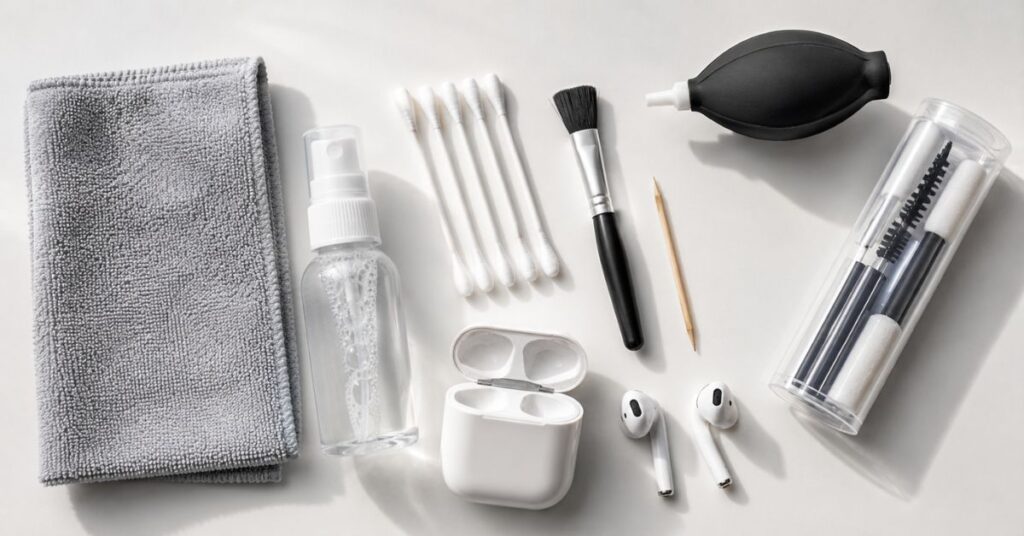
Before starting How to Clean AirPods Safely Without Damaging Them, gather a few simple cleaning supplies.
Fortunately, you don’t need expensive tools or specialty equipment.
Most safe cleaning supplies are inexpensive and may already be available at home.
Recommended supplies include:
- Clean microfiber cloth
- Soft-bristled anti-static brush
- Cotton swabs
- Wooden toothpick (used only with extreme care around stubborn wax—not inside speaker mesh)
- Soft artist paintbrush
- 70% isopropyl alcohol (only for approved external surfaces)
- Compressed air (used carefully and not directly into speaker mesh at close range)
- Bright flashlight for inspection
These tools help remove dirt while protecting delicate components.
Never Use These Items
Avoid using:
- Sewing needles
- Safety pins
- Metal tweezers
- Knives
- Scissors
- Bleach
- Acetone
- Glass cleaner
- Household disinfectant sprays
- Running water
- Soap
- Hair dryer
- Steam cleaner
Many online videos suggest dangerous methods that can permanently damage your AirPods.
At True Housekeeping, we recommend avoiding any cleaning technique that pushes dirt deeper into the speaker mesh or exposes electronics to excessive moisture.
True Housekeeping Expert Tip
A soft artist’s paintbrush is one of the safest tools for gently loosening dust from delicate speaker grills.
Maintenance Tip
Keep a small electronics cleaning kit in your desk drawer so you can quickly clean your AirPods every week.
Safety Precautions Before You Start
Before practicing How to Clean AirPods Safely Without Damaging Them, take a few simple precautions.
Although AirPods are designed for daily use, they contain tiny microphones, sensors, speaker drivers, batteries, and charging contacts that require careful handling.
Begin by removing the AirPods from your ears and disconnecting them from all devices.
If your AirPods are charging, remove them from the charging case.
Wash and dry your hands before cleaning to avoid transferring additional oils.
Work on a clean, well-lit table with a soft towel underneath. This helps prevent scratches if an AirPods slips from your hand.
Never spray liquid directly onto the earbuds or charging case.
Always apply any cleaning solution to a microfiber cloth or cotton swab instead.
Avoid allowing moisture near:
- Speaker mesh
- Microphone openings
- Charging contacts
- Charging port
- Sensor openings
Never submerge AirPods or the charging case in water.
Even though some AirPods models offer water resistance, they are not waterproof, and the charging case is not water-resistant.
Learning how to clean AirPods Safely Without Damaging Them means remembering that gentle cleaning always produces better results than aggressive scrubbing.
Safety Warning
If your AirPods have been exposed to salt water, sugary drinks, coffee, or other liquids, rinse procedures differ from routine cleaning. Allow them to dry completely and follow the manufacturer’s care recommendations before charging.
True Housekeeping Maintenance Tip
Good lighting makes it much easier to spot hidden wax inside the speaker mesh without using excessive force.
How to Clean the Outside of AirPods
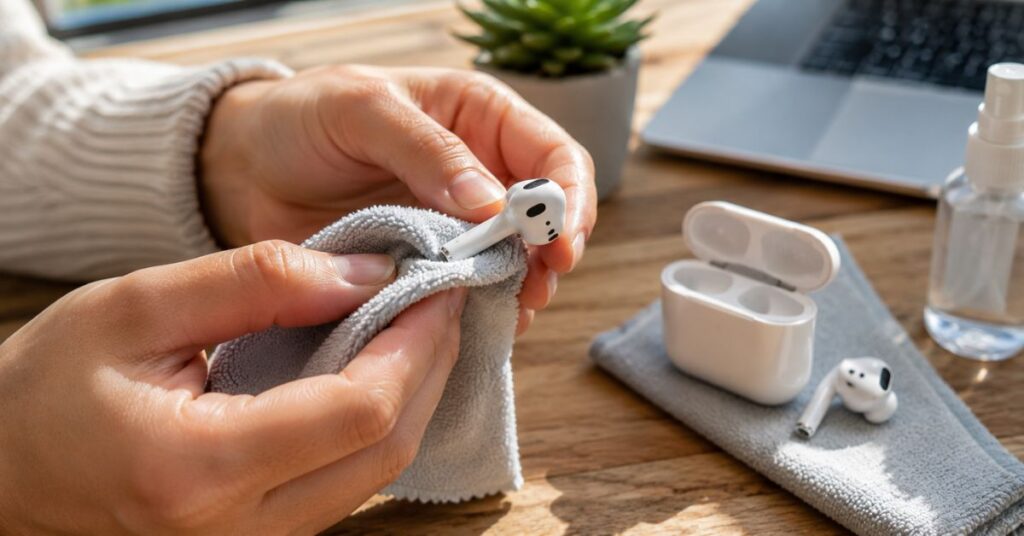
Now it’s time to begin the actual cleaning process.
The outer shell is the easiest part to clean because it collects fingerprints, skin oils, sweat, and dust rather than hardened earwax.
Learning how to clean AirPods Safely Without Damaging Them starts with cleaning these smooth exterior surfaces before moving to the delicate speaker openings.
Take a clean, dry microfiber cloth and gently wipe each AirPods from top to bottom.
Pay special attention to areas around the sensors and stem, where skin oils tend to accumulate.
If fingerprints remain, lightly dampen one corner of the microfiber cloth with a small amount of 70% isopropyl alcohol. The cloth should feel barely damp, never wet.
Gently wipe the outside of each AirPods using slow, circular motions.
Avoid rubbing aggressively.
Once clean, use a dry section of the microfiber cloth to remove any remaining moisture.
Finally, inspect each AirPods under bright lighting to ensure no lint or fibers remain attached to the speaker mesh or microphones.
Cleaning the outside first prevents dirt from spreading to cleaner areas while you continue learning how to clean AirPods Safely Without Damaging Them.
True Housekeeping Expert Tip
Instead of gripping the AirPods tightly, hold them gently between your fingers. This reduces the chance of accidentally pressing dirt into the speaker mesh.
Maintenance Tip
Wiping the exterior after every few uses takes less than one minute and greatly reduces deep-cleaning time.
How to Clean AirPods Speaker Mesh
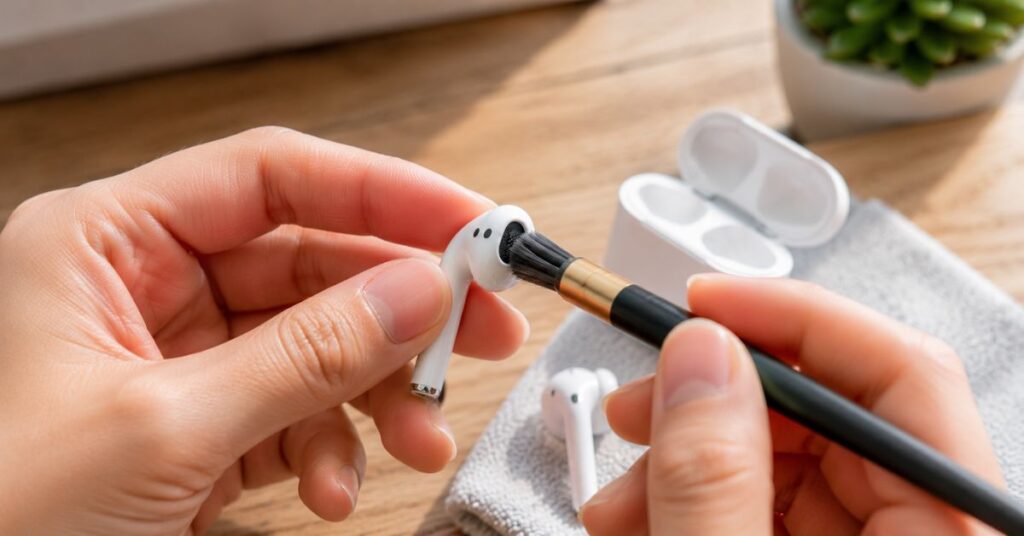
The speaker mesh is one of the most delicate parts of your AirPods. It allows sound to pass through while protecting the tiny speaker inside. Because it sits directly against your ears, this area collects earwax, skin oils, dust, and tiny fibers faster than any other part of the earbuds.
Many people searching for ” How to Clean AirPods Safely Without Damaging Them are actually trying to fix low volume or muffled sound. In many cases, the speaker isn’t broken; it is simply blocked by wax or dirt.
The safest way to clean the speaker mesh is to work slowly and use gentle tools.
Start by holding the AirPods under a bright light or using your phone’s flashlight. Carefully inspect the mesh to see where dirt has collected.
Use a soft anti-static brush or a clean artist’s paintbrush to gently loosen loose dust. Brush in one direction using light strokes instead of scrubbing back and forth.
If wax remains, use a dry cotton swab to wipe around the speaker opening. Rotate the swab while cleaning so you’re always using a clean surface.
For stubborn buildup near the edge of the mesh, you may carefully use the pointed end of a wooden toothpick to lift wax from the outer edge only. Never push the toothpick into the mesh or speaker opening.
Patience is the key. It is much safer to repeat the process several times than to force the dirt out in one attempt.
Learning how to clean AirPods Safely Without Damaging Them means protecting the speaker while removing buildup little by little.
What You Should Never Do
Never:
- Push a needle into the speaker mesh.
- Use metal pins or tweezers.
- Pour alcohol directly onto the speaker.
- Use excessive compressed air.
- Scrub aggressively.
- Wash the earbuds under running water.
These methods may permanently damage the speaker or push debris deeper inside.
True Housekeeping Expert Tip
If the speaker mesh still looks dirty after several gentle cleaning attempts, stop and repeat the process another day. Forcing the debris out often causes more harm than good.
Maintenance Tip
Inspect the speaker mesh every week. Removing fresh wax is much easier than removing hardened buildup.
These articles work perfectly alongside How to Clean AirPods Safely Without Damaging Them to keep all your devices in top condition.
How to Remove Earwax from AirPods
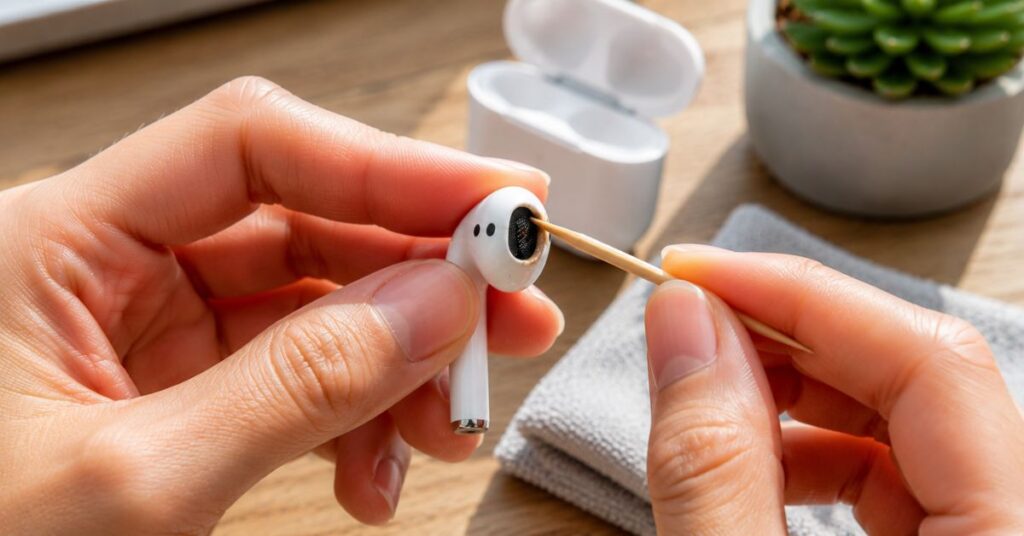
Earwax is the most common reason AirPods lose sound quality. Fortunately, most wax can be removed safely without special equipment.
Understanding how to clean AirPods Safely Without Damaging Them includes knowing that earwax should always be lifted away gently—not pushed farther into the speaker.
Begin by examining each AirPods under good lighting.
If the wax is dry, use a soft brush to loosen it first.
Next, gently wipe around the speaker with a dry cotton swab.
For stubborn wax sitting on the outer edge of the mesh, use a wooden toothpick with an extremely light touch. Lift the wax away carefully without inserting the tip into the speaker opening.
Repeat the process slowly until the visible buildup disappears.
If wax remains deep inside the mesh, don’t attempt to dig it out. Excessive force may damage the fine protective screen.
One of the biggest lessons in How to Clean AirPods Safely Without Damaging Them is knowing when to stop.
True Housekeeping Expert Tip
Cleaning your ears regularly and storing AirPods in their case helps reduce future wax buildup.
Maintenance Tip
Never place dirty AirPods back into a clean charging case. Clean both together whenever possible.
How to Clean AirPods Microphones
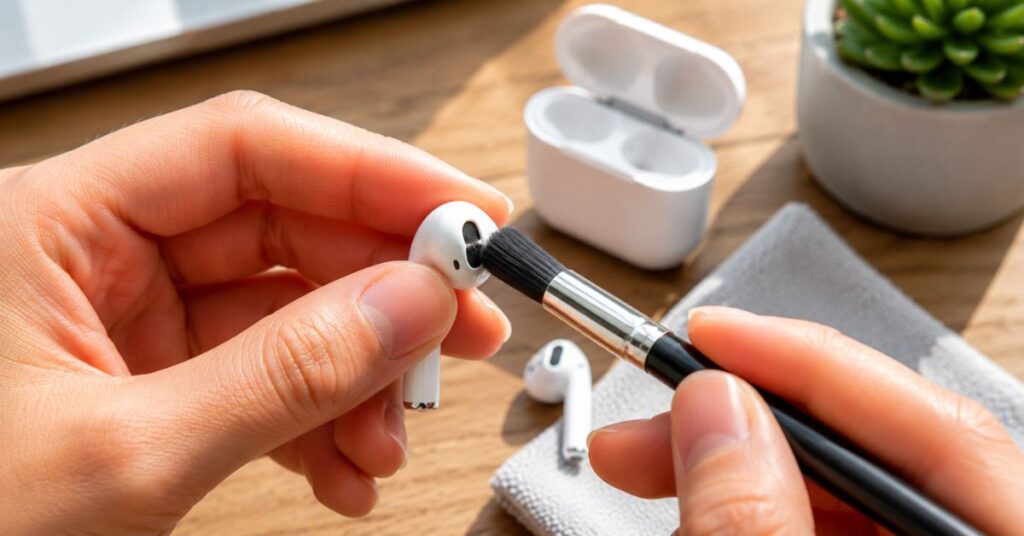
AirPods contain tiny microphones that help during phone calls, voice recordings, Siri commands, and noise cancellation.
When these openings become blocked by dust or debris, call quality may suffer.
Learning how to clean AirPods Safely Without Damaging Them also means protecting these small microphone ports.
Locate the microphone openings near the stem and bottom of each AirPods.
Use a clean, dry soft-bristled brush to gently sweep away dust.
If necessary, lightly wipe around the microphone area using a dry microfiber cloth.
Avoid inserting cotton swabs, toothpicks, or sharp tools directly into the microphone openings.
Never spray compressed air directly into the microphone because high pressure may force debris deeper inside.
Signs the Microphones Need Cleaning
- People say your voice sounds muffled.
- Siri struggles to hear commands.
- Voice recordings sound unclear.
- Noise cancellation doesn’t perform as expected.
True Housekeeping Expert Tip
If only one AirPods has microphone problems, compare both sides under bright lighting to identify visible dirt.
Maintenance Tip
Store AirPods inside their charging case immediately after use instead of leaving them loose inside bags or pockets.
How to Clean the AirPods Charging Case
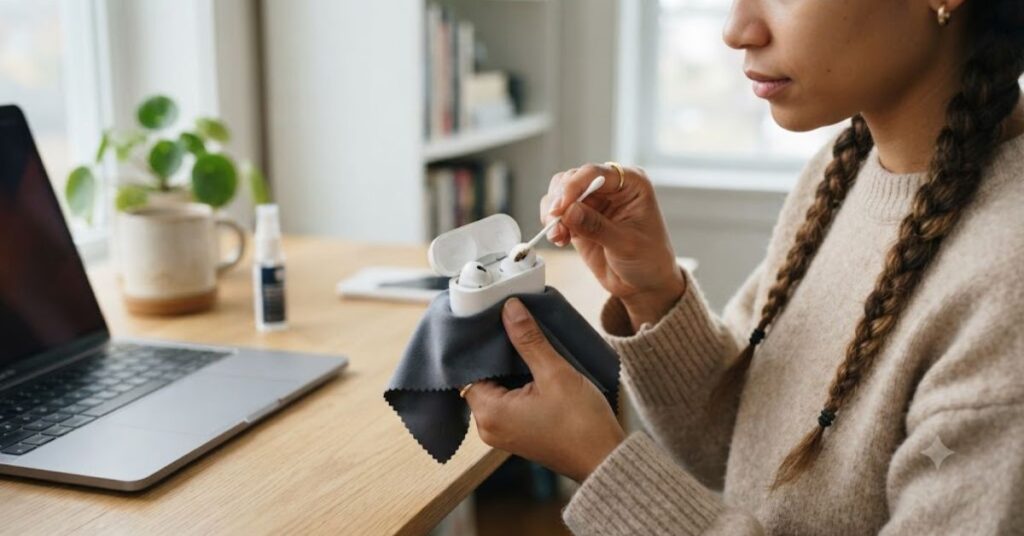
Many people focus only on the earbuds and completely forget about the charging case.
However, the case collects pocket lint, dust, skin oils, and bacteria every day.
A dirty case can transfer dirt back onto freshly cleaned AirPods.
That’s why How to Clean AirPods Safely Without Damaging Them also includes proper charging case maintenance.
Start by removing both AirPods from the case.
Turn the case upside down and gently tap it over a clean surface to remove loose dust and lint.
Next, wipe the outside with a dry microfiber cloth.
If fingerprints remain, lightly dampen one corner of the cloth with a small amount of 70% isopropyl alcohol.
Gently clean the lid, hinges, sides, and bottom.
Now inspect the inside of the charging case.
Use a soft anti-static brush to remove lint around the charging slots.
If dust remains near the corners, gently lift it away using a dry cotton swab.
Never pour liquid inside the charging case.
Allow the case to dry completely before placing the AirPods back inside.
Learning How to Clean AirPods Safely Without Damaging Them isn’t complete until both the earbuds and charging case are clean.
True Housekeeping Expert Tip
Pocket lint builds up surprisingly fast. Empty your pockets occasionally to reduce the amount transferred into the charging case.
Maintenance Tip
Keep the charging case closed whenever you’re not using your AirPods.
How to Clean the Charging Contacts
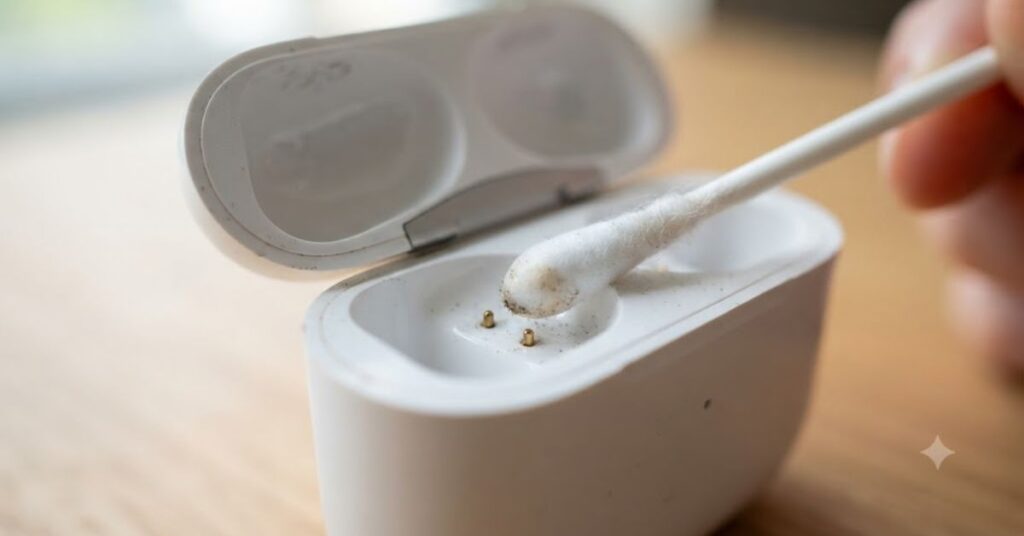
Inside the charging case are small metal contacts that charge your AirPods.
If dirt covers these contacts, charging may become slow or inconsistent.
A safe approach to how to clean AirPods Safely Without Damaging Them includes cleaning these delicate connectors carefully.
First, inspect the charging contacts using a flashlight.
If you notice dust or lint, gently remove it with a soft dry brush.
For fingerprints or residue around the contacts, lightly wipe the surrounding area using a dry cotton swab.
Avoid pressing directly on the metal contacts.
Never use metal tools or excessive liquid.
If charging issues continue after cleaning, inspect the charging cable and power adapter before assuming the AirPods are faulty.
True Housekeeping Expert Tip
Most charging problems are caused by dirt, damaged cables, or worn charging accessories, not defective AirPods.
Maintenance Tip
Inspect the charging contacts every month even if charging appears normal.
How to Clean the Lightning or USB-C Charging Port
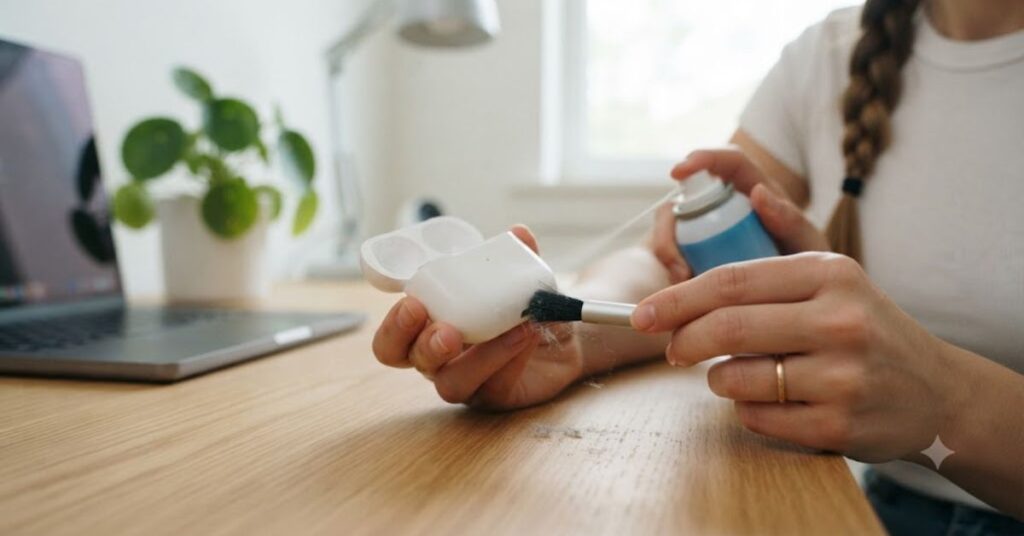
The charging port is another area that often collects lint, especially if you carry the charging case in your pocket.
Dust inside the port may prevent the charging cable from seating properly.
Understanding How to Clean AirPods Safely Without Damaging Them includes cleaning this small opening with extra care.
Begin by shining a flashlight inside the charging port.
If lint is visible, hold the charging case so the opening faces downward.
Use a soft anti-static brush to loosen debris.
You can also use short, gentle bursts of compressed air from several inches away.
Never insert:
- Needles
- Paper clips
- Pins
- Knives
- Screwdrivers
- Metal picks
These objects can scratch or bend the charging connector.
Avoid spraying liquids into the charging port.
If the charging cable still doesn’t fit securely after cleaning, inspect the cable itself for dirt or damage.
True Housekeeping Expert Tip
Cleaning the charging cable connector occasionally also improves charging reliability.
Maintenance Tip
Keep the charging port covered by closing the charging case whenever possible.
Before You Continue…
By now you’ve learned the safest way to clean:
- The AirPods exterior
- Speaker mesh
- Earwax buildup
- Microphones
- Charging case
- Charging contacts
- Charging port
These are the areas where most dirt accumulates, and cleaning them correctly can restore sound quality and improve charging performance.
How to Disinfect AirPods Safely
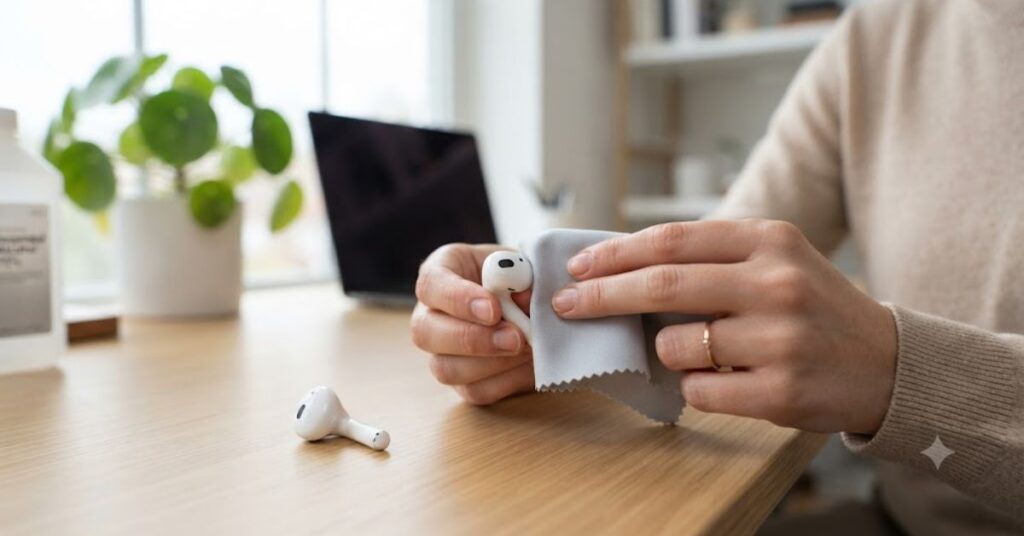
Cleaning removes visible dirt, but disinfecting helps reduce bacteria and germs that build up during everyday use. Since AirPods sit inside your ears and are touched frequently, it’s reasonable to disinfect the exterior occasionally, especially after workouts, traveling, or sharing them with someone else.
However, disinfecting electronics requires extra care. Many people searching for ” How to Clean AirPods Safely Without Damaging Them mistakenly use harsh household cleaners or soak the earbuds in liquid, which can permanently damage them.
The safest approach is simple.
First, remove the AirPods from the charging case and make sure they are not connected to a charger.
Take a clean microfiber cloth and lightly dampen one corner with 70% isopropyl alcohol. The cloth should be slightly damp, never wet.
Gently wipe only the hard exterior surfaces of each AirPods, including the stem and outer shell. Avoid allowing liquid to collect around the speaker mesh, microphone openings, sensors, or charging contacts.
If you also want to disinfect the charging case, wipe only the outside surfaces using the same lightly dampened cloth.
Allow everything to air dry completely before placing the AirPods back into the charging case.
One of the most important lessons in How to Clean AirPods Safely Without Damaging Them is remembering that disinfecting should never involve excessive moisture.
Never Disinfect AirPods With
- Bleach
- Hydrogen peroxide
- Glass cleaner
- Kitchen disinfectant sprays
- Furniture polish
- Wet wipes containing excessive liquid
- Running water
- Steam cleaners
These products may damage finishes, coatings, adhesives, or internal electronics.
True Housekeeping Expert Tip
Disinfect only when necessary. Daily wiping with a dry microfiber cloth is usually enough for regular maintenance.
Maintenance Tip
Always allow AirPods to dry naturally before placing them inside the charging case.
Related Reading on True Housekeeping
Want to keep all your electronics clean?
You may also like:
- How to Clean a Laptop
- How to Clean a Phone Case
- How to Clean a Keyboard Without Damaging the Keys
- How to Clean a Computer Monitor Without Streaks
- How to Remove Dust From Electronics Safely
These articles pair perfectly with How to Clean AirPods Safely Without Damaging Them and help you maintain a cleaner home office and workspace.
Can You Use Alcohol on AirPods?
This is one of the most frequently searched questions online.
The answer is yes, but only in the correct way.
When learning how to clean AirPods Safely Without Damaging Them, many people assume more alcohol means better cleaning. In reality, using too much alcohol can be just as harmful as using the wrong cleaner.
A 70% isopropyl alcohol solution is generally considered appropriate for cleaning many hard external electronic surfaces. Instead of pouring alcohol directly onto the AirPods, lightly dampen a microfiber cloth and wipe the outside surfaces gently.
Alcohol should never drip into:
- Speaker mesh
- Microphone openings
- Charging contacts
- Charging port
- Internal seams
Allow the alcohol to evaporate naturally before using or charging the AirPods.
Avoid rubbing alcohol products that contain perfumes, moisturizers, dyes, or additional chemicals because they may leave residue behind.
If you own a special edition or older model, it’s always a good idea to review the manufacturer’s care instructions before using alcohol.
Learning How to Clean AirPods Safely Without Damaging Them isn’t about using stronger chemicals—it’s about using the safest method.
True Housekeeping Expert Tip
More liquid doesn’t create a cleaner AirPods. Gentle wiping with a lightly dampened cloth is far safer than soaking the surface.
Maintenance Tip
Keep a small bottle of 70% isopropyl alcohol in your electronics cleaning kit for occasional disinfecting.
Can You Use Water to Clean AirPods?
Water seems harmless, but electronics require a different approach.
Many readers ask whether plain water is safer than alcohol when researching how to clean AirPods Safely Without Damaging Them.
The answer is yes, but only in very small amounts and only on certain surfaces.
If your AirPods simply have fingerprints or light dust, a microfiber cloth slightly dampened with distilled water is often enough.
Distilled water is preferred because it leaves fewer mineral deposits than ordinary tap water.
However, never pour water directly onto AirPods.
Never rinse them under a faucet.
Never soak them in water.
Never allow moisture to enter the speaker mesh, microphones, charging contacts, or charging case.
Although some AirPods models offer sweat and water resistance, they are not designed to be washed.
Water resistance protects against accidental exposure—not intentional cleaning.
Understanding how to clean AirPods Safely Without Damaging Them means treating water with the same caution as any cleaning product.
True Housekeeping Expert Tip
If your cloth feels wet enough to squeeze out water, it’s too wet for cleaning electronics.
Maintenance Tip
Store distilled water in a labeled spray bottle reserved only for electronics cleaning.
Common AirPods Cleaning Mistakes to Avoid
Many damaged AirPods aren’t broken because of age; they’re damaged during cleaning.
Knowing what not to do is just as important as learning how to clean AirPods Safely Without Damaging Them.
Here are the mistakes electronics repair professionals see most often.
Using Sharp Metal Objects
Pins, needles, paper clips, and knives can tear the speaker mesh or damage microphones.
Always choose soft cleaning tools instead.
Using Too Much Liquid
Excess moisture can enter the electronics and cause corrosion or charging problems.
The safest cleaning cloth should always be only slightly damp.
Spraying Cleaner Directly on AirPods
Sprays should always be applied to a microfiber cloth first.
Direct spraying increases the chance of liquid entering sensitive openings.
Digging Into the Speaker Mesh
Trying to scrape out stubborn wax usually pushes it deeper inside.
Gentle brushing over several cleaning sessions is much safer.
Ignoring the Charging Case
Many people clean the earbuds but forget the charging case.
As soon as the AirPods are returned, dirt transfers back onto them.
Using Household Cleaning Products
Products designed for kitchens and bathrooms are often too harsh for delicate electronics.
Cleaning While Charging
Always remove AirPods from the charging case before cleaning.
Never clean electronics while connected to power.
Waiting Too Long Between Cleanings
Fresh dirt is easy to remove.
Hardened wax is much more difficult.
Regular maintenance is one of the biggest lessons in How to Clean AirPods Safely Without Damaging Them.
True Housekeeping Expert Tip
Most cleaning damage happens because people rush. Slow, gentle cleaning is almost always the safest approach.
Maintenance Tip
Spend two minutes each week inspecting your AirPods under bright light.
Natural vs. Commercial AirPods Cleaning Products
Many people wonder whether homemade cleaning methods work as well as commercial electronics cleaners.
When learning how to clean AirPods Safely Without Damaging Them, the answer depends on the product, not whether it’s homemade or store-bought.
Natural Cleaning Options
For everyday maintenance, a clean microfiber cloth is often enough.
If fingerprints remain, a cloth lightly dampened with distilled water works well.
For occasional disinfecting, many users choose 70% isopropyl alcohol on a microfiber cloth for hard exterior surfaces.
These simple methods are usually sufficient for routine care.
Commercial Electronics Cleaners
Some electronics-safe cleaning sprays are specifically formulated for sensitive devices.
They evaporate quickly, reduce streaks, and leave minimal residue.
Choose products clearly labeled for electronics.
Avoid multi-purpose household cleaners, even if they claim to be “gentle.”
Which Option Is Better?
For most people, simple cleaning tools produce excellent results.
You don’t need expensive gadgets or miracle cleaning products.
At True Housekeeping, we believe the safest cleaning routine is usually the simplest one.
Understanding how to clean AirPods Safely Without Damaging Them is more about using proper techniques than buying expensive supplies.
True Housekeeping Expert Tip
If a cleaner doesn’t specifically mention electronics, don’t assume it’s safe for AirPods.
Maintenance Tip
Replace microfiber cloths once they become heavily soiled or rough to avoid scratching delicate surfaces.
Professional Habits That Keep AirPods Clean Longer
People who maintain electronics professionally often follow simple habits instead of relying on deep cleaning.
These habits also make How to Clean AirPods Safely Without Damaging Them much easier.
- Wipe AirPods before placing them back into the charging case.
- Clean the charging case at the same time as the earbuds.
- Store AirPods inside their case whenever they’re not being used.
- Avoid carrying loose AirPods in pockets filled with lint.
- Wash your hands before long listening sessions.
- Don’t share AirPods with other people.
- Keep the charging case closed to reduce dust.
- Inspect the speaker mesh weekly instead of waiting until sound quality decreases.
These small routines reduce dirt buildup and extend the life of your AirPods without requiring aggressive cleaning.
True Housekeeping Expert Tip
Preventive care is always easier than restoring heavily clogged AirPods.
Maintenance Tip
Keeping your AirPods in their charging case whenever they’re not in use is one of the easiest ways to reduce dust, lint, and accidental damage.
Tips to Keep AirPods Clean Longer
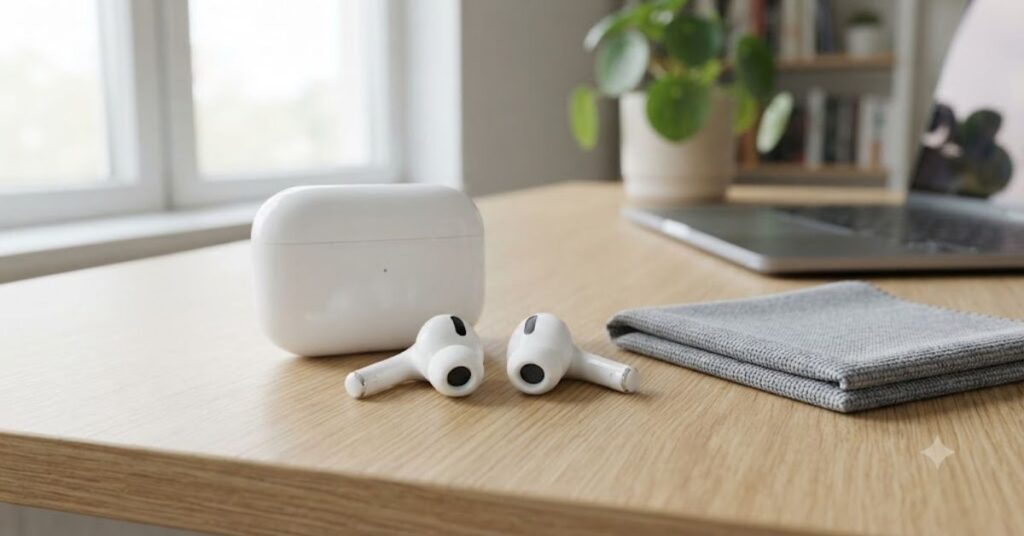
Now that you know how to clean AirPods Safely Without Damaging Them, the next step is preventing dirt from building up in the first place. A few simple habits can save time, improve sound quality, and reduce the need for deep cleaning.
Store AirPods in Their Charging Case
Leaving AirPods loose in a pocket, backpack, or gym bag allows dust, lint, and dirt to collect on the speakers and charging contacts. Always return them to the charging case after use.
Wipe Them After Every Workout
Sweat contains salt and natural oils that can leave residue on the earbuds. After exercising, gently wipe your AirPods with a clean, dry microfiber cloth before placing them back in the case.
Clean Your Ears Regularly
Healthy ear hygiene naturally reduces wax buildup on your AirPods. Avoid inserting cotton swabs deep into your ears, but keeping the outer ear clean can help minimize residue transferred to the speaker mesh.
Wash Your Hands
Clean hands reduce fingerprints, skin oils, and bacteria on your AirPods. This simple habit also keeps the charging case cleaner.
Avoid Dusty Environments
Construction sites, workshops, beaches, and outdoor trails expose AirPods to more airborne dust than a typical home or office.
Keep the Charging Case Closed
An open charging case quickly collects dust and lint, especially on a desk or inside a bag.
Avoid Sharing AirPods
Sharing earbuds can transfer bacteria and earwax between users. For hygiene reasons, it’s best to keep them personal.
Perform Weekly Maintenance
A one-minute inspection each week makes How to Clean AirPods Safely Without Damaging Them much easier because dirt never becomes heavily compacted.
True Housekeeping Expert Tip
Preventive care always takes less time than deep cleaning heavily clogged AirPods.
Maintenance Tip
Keep a microfiber cloth near your desk, bedside table, or laptop bag so you can quickly wipe your AirPods after use.
These articles help create a cleaner, healthier workspace while complementing How to Clean AirPods Safely Without Damaging Them.
Signs Your AirPods Need Cleaning Immediately
Even if your AirPods look clean from the outside, hidden dirt can still affect performance.
Here are the most common warning signs that it’s time to review How to Clean AirPods Safely Without Damaging Them and give your earbuds a proper cleaning.
Lower Volume
If music suddenly sounds quieter, earwax may be blocking the speaker mesh.
Muffled Sound
Blocked speaker openings often reduce sound clarity.
Poor Call Quality
Dust inside microphone openings can make your voice sound faint or unclear.
AirPods Don’t Charge Properly
Dirty charging contacts or lint inside the charging case may interrupt charging.
Visible Earwax
If you can easily see wax under bright light, it’s time for a careful cleaning.
Sticky Charging Case
Skin oils and dirt build up on the charging case over time.
Bad Odor
Sweat and bacteria can create unpleasant smells if AirPods are rarely cleaned.
Visible Pocket Lint
Lint inside the charging case can transfer back onto clean AirPods.
Recognizing these warning signs early helps keep your AirPods performing their best.
True Housekeeping Expert Tip
Inspect your AirPods under bright lighting every week. Small amounts of dirt are much easier to remove than hardened buildup.
Maintenance Tip
If you notice repeated charging problems after cleaning, inspect the charging cable before assuming the AirPods are faulty.
FAQs
1. How often should I clean my AirPods?
For most users, wipe the exterior once a week and perform a deeper cleaning every month. If you exercise regularly or use AirPods daily, you may need to clean them more often.
2. Can I use alcohol to clean AirPods?
Yes. A microfiber cloth lightly dampened with 70% isopropyl alcohol can be used on the hard exterior surfaces. Avoid getting alcohol inside the speaker mesh, microphones, or charging contacts.
3. Can I wash AirPods under running water?
No. Even water-resistant AirPods should never be washed under a faucet or submerged in water.
4. Why is one AirPod quieter than the other?
The most common cause is earwax blocking the speaker mesh. Cleaning the speaker carefully often restores normal sound.
5. Can I use compressed air?
Yes, but use short, gentle bursts from several inches away. Never blow high-pressure air directly into the speaker mesh.
6. Is a toothpick safe?
Only a wooden toothpick may be used with extreme care around the outer edge of hardened wax. Never insert it into the speaker mesh or microphone openings.
7. Can I use disinfecting wipes?
Only if they contain 70% isopropyl alcohol, are not excessively wet, and are suitable for electronics. Avoid bleach-based wipes.
8. Why won’t my AirPods charge?
Check for lint inside the charging case, dirty charging contacts, a damaged charging cable, or debris inside the charging port.
9. Can I clean AirPods while they’re charging?
No. Always remove the AirPods from the charging case and disconnect the charger before cleaning.
10. What’s the safest cloth for cleaning AirPods?
A clean, lint-free microfiber cloth is the safest choice because it removes dust and fingerprints without scratching delicate surfaces.
Conclusion
Keeping your earbuds clean isn’t just about appearance—it’s about maintaining sound quality, hygiene, and long-term performance. By following the safe methods in this guide, you now know how to clean AirPods Safely Without Damaging Them using practical, proven techniques instead of risky internet hacks.
At True Housekeeping, our goal is to provide practical cleaning advice you can trust. Instead of shortcuts that may damage your devices, we focus on safe, effective methods that actually work in everyday life.




Leave a Reply